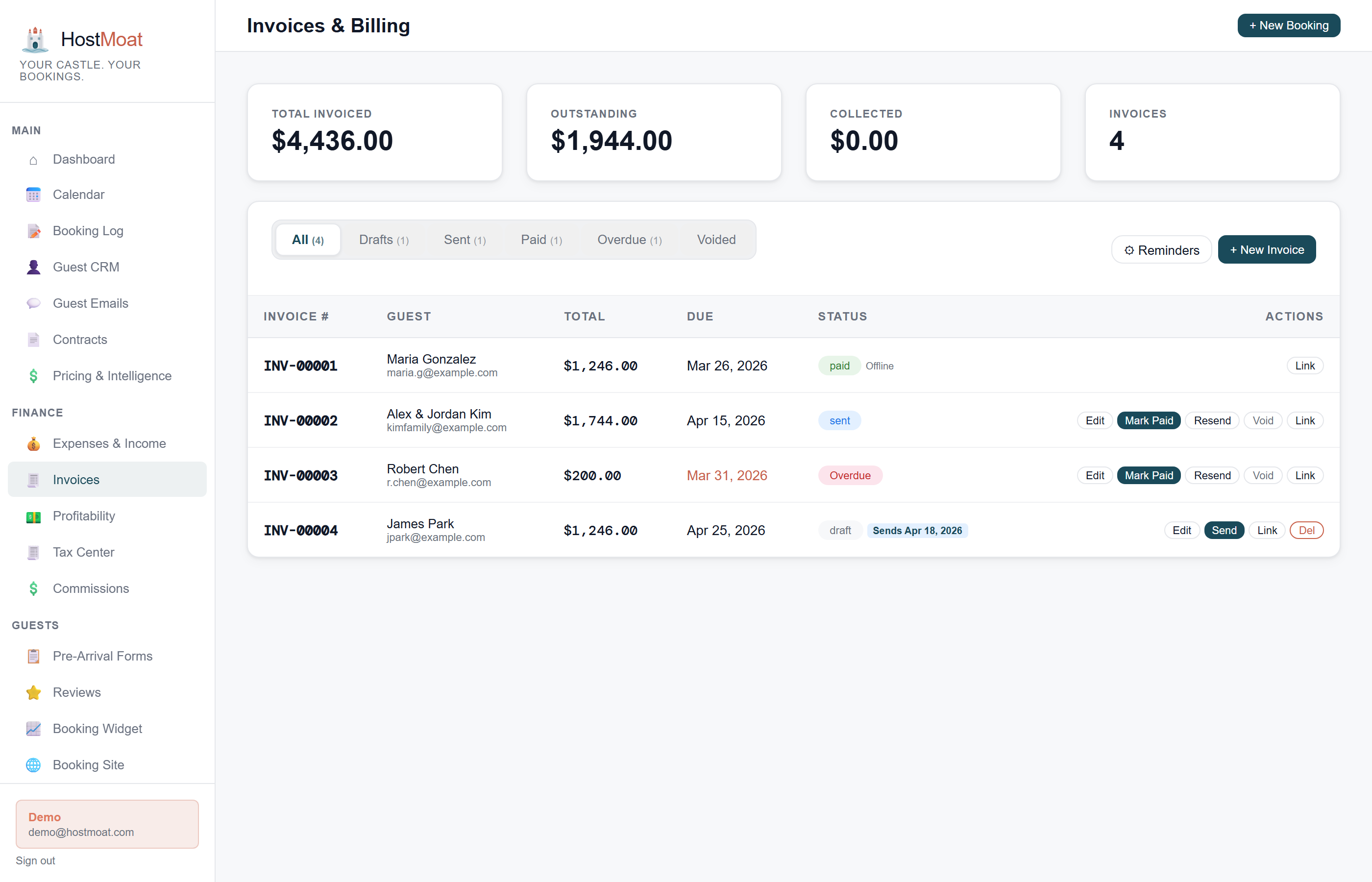
Stripe card and ACH
Guests pay by credit card or bank transfer through a Stripe-hosted payment page. Funds go directly to your Stripe account. HostMoat never touches the money.
Offline payment recording
Received a check or Venmo payment? Log it as an offline payment and the invoice marks paid, keeping your records clean without requiring everything to flow through Stripe.
Voided invoice tracking
Cancel an invoice and it moves to Voided status, preserved in the record with the reason. Nothing gets silently deleted.
How it works
Invoice generated from booking or contract
When a contract is signed or you create an invoice manually, line items are pulled from the calculated booking price: rent, cleaning fee, pet fee, damage waiver.
Guest pays via Stripe
The guest receives an email with a Stripe payment link. They click, enter card or bank details, and pay. No account required on their end.
Payment logs to the booking
The invoice status updates to Paid automatically when Stripe confirms payment. The booking payment totals reflect the update in real time.
Per-line-item invoice breakdown
Invoices can show charges as separate line items, such as nightly rent, cleaning fee, pet fee, damage waiver, and taxes. Clear breakdowns can help guests understand the amount due. You remain responsible for configuring accurate, lawful line items and resolving disputes or chargebacks.
Scheduled balance and reminder workflow
Deposit bookings can schedule the remaining balance relative to arrival, and invoice reminders can be sent or scheduled for outstanding amounts. Each invoice keeps its own paid, refunded, voided, offline-paid, and outstanding history.
Frequently asked
What are the payment processing fees?
The rates in your connected Stripe account apply and can vary by country, payment method, and account terms. HostMoat adds no payment-processing markup or booking commission.
Can I send an invoice without a booking?
Yes. One-off invoices are supported, useful for damage charges, security deposit draws, or any payment outside a standard booking.
How do I issue a refund?
Cancel the direct booking, open Cancellations, and click Refund on its row. Choose the Stripe payment and a full or partial amount. HostMoat sends it through the original connected account, emails the guest the exact amount returned to the original payment method, shows pending or completed status, and updates invoice net collection, booking collection, income, profitability, and Tax Center. Payments collected by Airbnb, VRBO, cash, or another service must be refunded there and recorded manually.