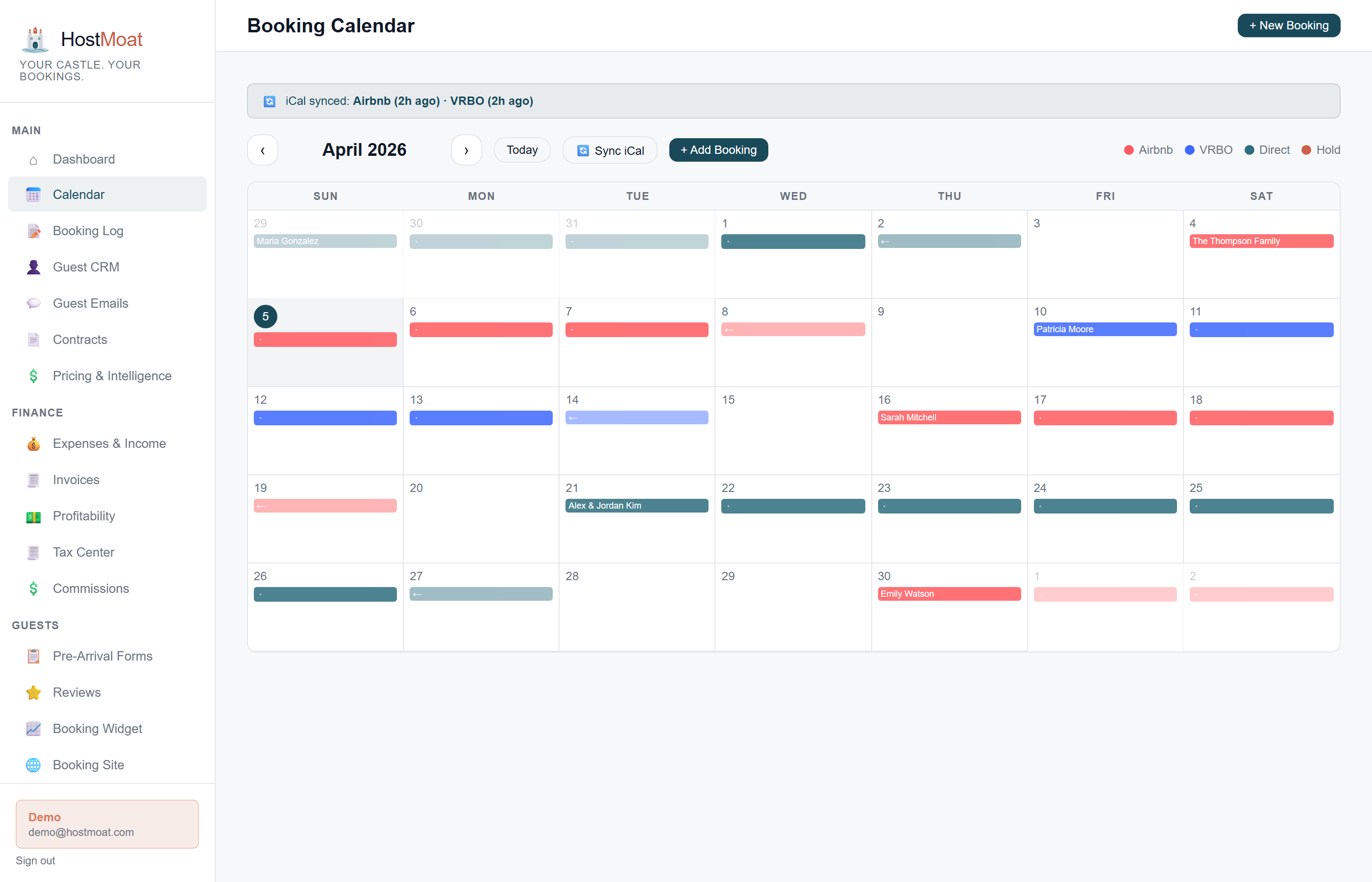
2-hour scheduled sync
HostMoat checks configured Airbnb, VRBO, and Booking.com iCal feeds every two hours. Provider availability and platform refresh timing can delay when a change appears.
Email enrichment
Forward platform confirmation emails to HostMoat and we'll fill in rental amount, guest name, fees, and payout details.
Conflict safeguards
Overlap warnings, turnover buffers, and unified availability reduce double-booking risk while platform refresh timing remains visible.
How it works
Paste your iCal URLs
Grab the iCal feed URL from Airbnb, VRBO, or Booking.com and paste it into HostMoat. Takes about 60 seconds per platform.
Bookings appear on your calendar
Within minutes of adding a feed, every reservation from that platform shows on your unified HostMoat calendar, color-coded by source.
Forward emails for full details
Set up email forwarding once, then every booking confirmation enriches your records with price, guest contact, and fee breakdowns.
Cancellation detection
When a platform removes a booking from its iCal feed, HostMoat detects the change and moves the booking to the Cancellations log for your review, helping you keep reports and guest charges aligned with the source platform.
Direct bookings on the same calendar
Direct reservations from your own booking website sit side-by-side with OTA bookings on one calendar. The gap detector considers all sources together, so a direct guest can't book over an Airbnb stay.
Frequently asked
How often does the calendar sync?
Every 2 hours, automatically. You can also trigger a manual sync from the iCal settings page at any time.
Is this 2-way sync?
Yes. HostMoat exports its own iCal feed too, so direct bookings you create here are visible on Airbnb/VRBO/Booking.com.
Do turnover days change imported booking dates?
No. Imported platform reservations keep their original check-in and checkout dates. Turnover spacing is enforced for new HostMoat manual/direct bookings and exported as separate blocked availability so platforms can prevent future tight arrivals after they refresh the feed.
What happens if two platforms book the same dates?
Once both reservations reach HostMoat, the calendar shows the overlap. Pro conflict alerts also notify the owner. iCal cannot prevent a platform from accepting a booking before it refreshes connected availability, so the safeguards reduce risk rather than guarantee zero conflicts.